





Applying for the Uniform CPA ExaminationAll first-time applicants must submit an initial application directly to the Florida Board. To do so, please visit the Florida Board of Accountancy website. Please read the Candidate Guide before submitting your application.  After you have been deemed eligible to take the CPA Exam by the Florida State Board of Accountancy you will receive an email with your approval letter containing additional instructions. First, you must obtain your National Candidate ID or Jurisdiction ID. Follow the instructions in your approval letter to obtain these. Once you have your NCID and JURID you will need to create and log into your CPA Portal account by following these steps:
 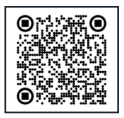  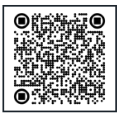
Note: Contact NASBA at [email protected] 3-5 days after receiving your eligibility approval letter from the FL Board to receive your national candidate ID/Jurisdiction ID
Note: After you have been deemed eligible to take the CPA Exam you can then begin to apply for Exam sections. Only one exam section can be selected per exam section application. You may submit more than one Exam section application but are only allowed one NTS per Exam section. You should only apply for the Exam section if you are ready to take it within the next six months.  Eligibility RequirementsEligibility for ExaminationPlease visit the Florida Board of Accountancy website. ResidencyThere is not a residency requirement to apply for the CPA Exam for this state. Social Security NumberThere is not an SSN requirement to apply for the CPA Exam for this state. Applicants with DisabilitiesFlorida CPA candidates must submit requests for ADA testing accommodations directly to the Florida Bureau of Education and Testing (BET) for processing. To contact the BET, please phone or email Ms. Teshika Green at 850-487-9755 or at the following email: [email protected] Transfer Grades/Scores & License VerificationPlease contact the Florida Board regarding transfer of your passed scores. FeesEducation Evaluation ApplicationBefore you can apply for an exam section you must first be deemed eligible for the CPA Exam. Florida candidates must submit their Evaluation Application and associated application fees directly to the Florida Board. Once you obtain approval from the Board, you will receive a Jurisdiction ID number. After receiving this Jurisdiction ID you must then create and activate a CPA Portal Account. Once your CPA Portal account is created you will use your Florida Jurisdiction ID after selecting the “existing candidate” option to match the Florida Approval to your CPA Portal Account. Exam Section ApplicationOnce you have matched your Florida Jurisdiction ID to your CPA Portal Account using the “Existing candidate” action, you may then apply for a specific exam section. You can only apply for one exam section per application. You are advised to only apply for the exam section if you are ready to take it. Your Notice to Schedule will be valid for a limited amount of time, and you must take the exam section listed on the NTS within this time frame or you will lose those fees paid. Exam Section Fee: $268.59 Exam Application Fee: $96.00 Refund PolicyThere is no provision for withdrawing from the examination and/or requesting an extension of your current Notices to Schedule (NTS). Application and/or examination fees are not refundable. If you have an extreme circumstance, you may request an NTS extension or a partial refund of your examination fees under specific circumstances utilizing the Exception to Policy Form. Exam CreditCandidates are allowed to sit for each section of the examination individually and in any order. Candidates retain credit for any section(s) passed for thirty (30) months, without having to attain a minimum score on failed sections and without regard to whether they have taken other sections. Candidates must pass all four sections of the examination within a “rolling” thirty (30)-month period that begins on the date of the score release. In the event all four sections of the examination are not passed within the rolling thirty (30)-month period, credit for any section(s) passed outside the thirty (30)-month period will expire and the section(s) must be retaken. Written requests for exceptions to the requirements set forth above may be granted at the discretion of the Board for individual hardship or other good cause demonstrated in a timely manner. |
USEFUL LINKSCandidate Guide FORMSCONTACT US800-CPA-EXAM (800-272-3926)International: (615) 880-4250 Email Inquiries: [email protected] Mail Inquiries: Florida Coordinator CPA Examination Services PO Box 198469 Nashville, Tennessee 37219-8469 |
 NASBot